


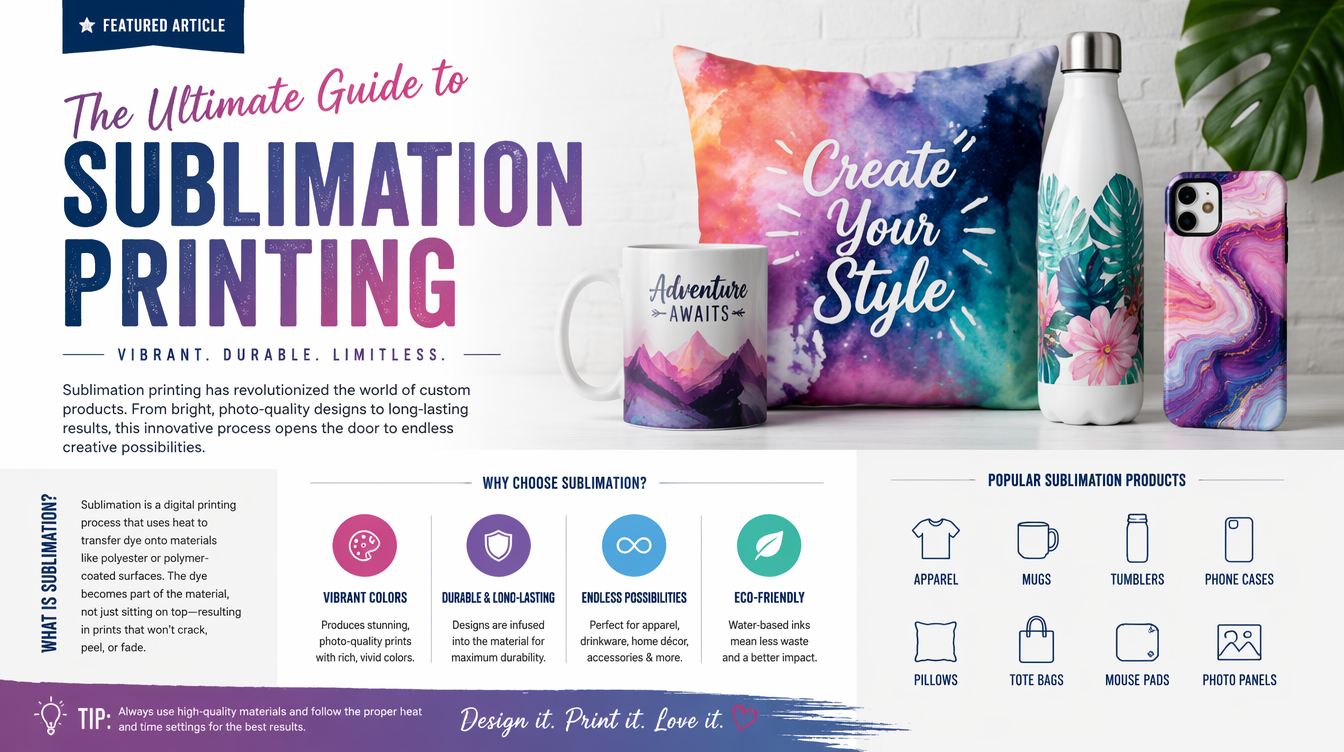
Getting Started with Sublimation Printing (2026 Ultimate Guide)
If you have spent any time in the crafting, apparel, or Print-on-Demand (POD) space, you have undoubtedly heard the word “sublimation.” It is the magic behind the ultra-vibrant tumblers, the permanently dyed athletic jerseys, and the flawless ceramic mugs dominating Etsy and TikTok Shop.
But what exactly is it? And more importantly, how do you actually start doing it?
Unlike traditional inkjet printing (which lays wet ink on top of paper) or screen printing (which pushes thick plastisol ink onto fabric), sublimation is a chemical process. When done correctly, the ink literally becomes one with the material. It doesn’t crack, it doesn’t peel, and you can’t even feel it when you run your hand across it.
If you are thinking about getting started with sublimation printing, this is your foundational guide. We are going to break down the science, the exact equipment you need to buy, the limitations of the medium, and how to avoid the most expensive beginner mistakes.

The Science of Sublimation: In physics, “sublimation” is when a solid turns directly into a gas without ever becoming a liquid (think dry ice). In printing, when sublimation ink is heated to 400°F (204°C), it vaporizes into a gas, opens the pores of polyester molecules, and dyes them permanently from the inside out.
The Golden Rule: Polyester and Polymers Only
Before you spend a single dollar on equipment, you must understand the biggest limitation of sublimation: It only works on synthetic materials.
Because of the chemical reaction required, sublimation gas will only bond with polymers. If you try to sublimate a 100% cotton t-shirt, it might look okay when you peel the paper back, but the moment you put it in the washing machine, 90% of the ink will immediately wash down the drain.
Apparel Requirements
For shirts and apparel, you must use garments that are at least 65% polyester. A 100% polyester shirt will yield the most vibrant, photo-realistic colors. A 65% polyester / 35% cotton blend will yield a slightly faded, “vintage” or “heathered” look (because the ink washes out of the 35% cotton fibers).
Hard Goods (Mugs, Tumblers, Blanks)
You cannot sublimate a random ceramic mug from the Dollar Store. Hard goods must be specifically coated with a special polymer resin (poly-coating) at the factory. When shopping for blanks, you must explicitly search for “Sublimation Blanks.”
The Equipment: What Do You Need to Start?
Getting started with sublimation printing requires a specific hardware ecosystem. Here is the exact checklist.
1. The Sublimation Printer
You cannot use standard inkjet ink. You need a printer dedicated solely to sublimation ink. You have two paths here:
- Purpose-Built Printers (e.g., Sawgrass SG500): Expensive ($600+), but come with incredible color-management software and warranties specifically for sublimation.
- Converted Printers (e.g., Epson EcoTank): The most popular beginner route. You buy a brand new, empty Epson EcoTank ($200), and instead of filling it with the included Epson ink, you fill it with third-party sublimation ink. Note: This voids the Epson warranty.
Read our deep-dive comparison: Best Sublimation Printer for Beginners (2026 Reviews).
2. Sublimation Ink and Paper
Sublimation ink is uniquely formulated to turn into gas when heated. Sublimation paper is uniquely formulated to release that ink (rather than absorb it like standard copy paper). Brands like A-Sub or Printers Jack are industry standards.
Thinking about the EcoTank conversion route? Check out our Epson Sublimation Printer Starter Kit Review.
3. The Heat Press
A standard household iron will not work for sublimation. Sublimation requires precise, even, and extremely high heat (usually between 385°F and 400°F) applied for 45 to 60 seconds. You need a dedicated heat press.
- Flat Clamshell Press (15×15): Best for t-shirts, mousepads, and metal signs.
- Tumbler/Mug Press: A cylindrical heating element that wraps tightly around drinkware.
- Convection Oven: Used with shrink-wrap sleeves to sublimate irregularly shaped items like water bottles. (Never use the oven you cook food in; the sublimation gas is toxic to ingest!).
4. The Accessories
Don’t forget the small things that prevent massive disasters:
- Heat Resistant Tape: To tape the transfer paper to the blank so it doesn’t shift (shifting causes “ghosting,” a blurry double-image).
- Butcher Paper (Unwaxed): Placed above and below your project on the heat press to prevent rogue sublimation gas from permanently dyeing the rubber pads on your expensive heat press.
- Heat Gloves: Sublimated metal and ceramic come out of the press at 400°F. You will burn yourself without them.
The Process: Step-by-Step
Once your equipment is set up, the actual process of sublimation is incredibly fast and satisfying.
- Design: Create your design in Canva, Photoshop, or Silhouette Studio.
- Mirror: You MUST mirror (flip horizontally) your design before printing. Because you are pressing the paper face-down onto the object, if you don’t mirror it, all your text will be backwards!
- Print: Print the mirrored design onto the bright white side of your sublimation paper. (Note: The ink on the paper will look very dull and faded. This is normal! The colors do not activate and become vibrant until they are heated).
- Tape: Secure the printed paper face-down onto your polyester shirt or poly-coated blank using heat-resistant tape.
- Press: Place it in the heat press. Cover with butcher paper. Press at the recommended time and temperature (e.g., 400°F for 60 seconds for a shirt).
- Peel: Put on your heat gloves, remove the item, and quickly peel the paper away in one smooth motion to reveal the permanent, vibrant design.
Is Sublimation Profitable?
Sublimation has some of the highest profit margins in the crafting industry because the consumables (ink and paper) are incredibly cheap per print—often pennies. The main costs are the blanks themselves.
For example, a high-quality poly-coated 20oz skinny tumbler might cost you $5 wholesale. The ink and paper cost $0.20. You can sell a custom-designed tumbler on Etsy for $25 to $35, yielding a massive profit margin.
Not sure what blanks to start with? Read our profitability breakdown: Sublimation Printing for Tumblers vs Shirts.
Frequently Asked Questions (FAQ)
Can you sublimate on dark colors or black shirts?
No. Sublimation ink is transparent. Because the process dyes the fabric rather than sitting on top of it, you cannot dye a black shirt yellow. Sublimation must be done on white or light-colored polyester.
Why is my sublimation print blurry?
Blurriness (known as “ghosting”) occurs when the transfer paper shifts while the ink is turning into a gas. Ensure you are taping the paper down tightly with heat-resistant tape, and be very careful to pull the paper straight up (not drag it) when removing it from the press.
Can I use a regular printer that already has regular ink in it?
No. If a printer has ever had regular inkjet ink inside it, you cannot use it for sublimation. The regular ink will contaminate the lines. You must start with a brand new, never-before-filled printer (like an Epson EcoTank) and fill it with sublimation ink from day one.
