


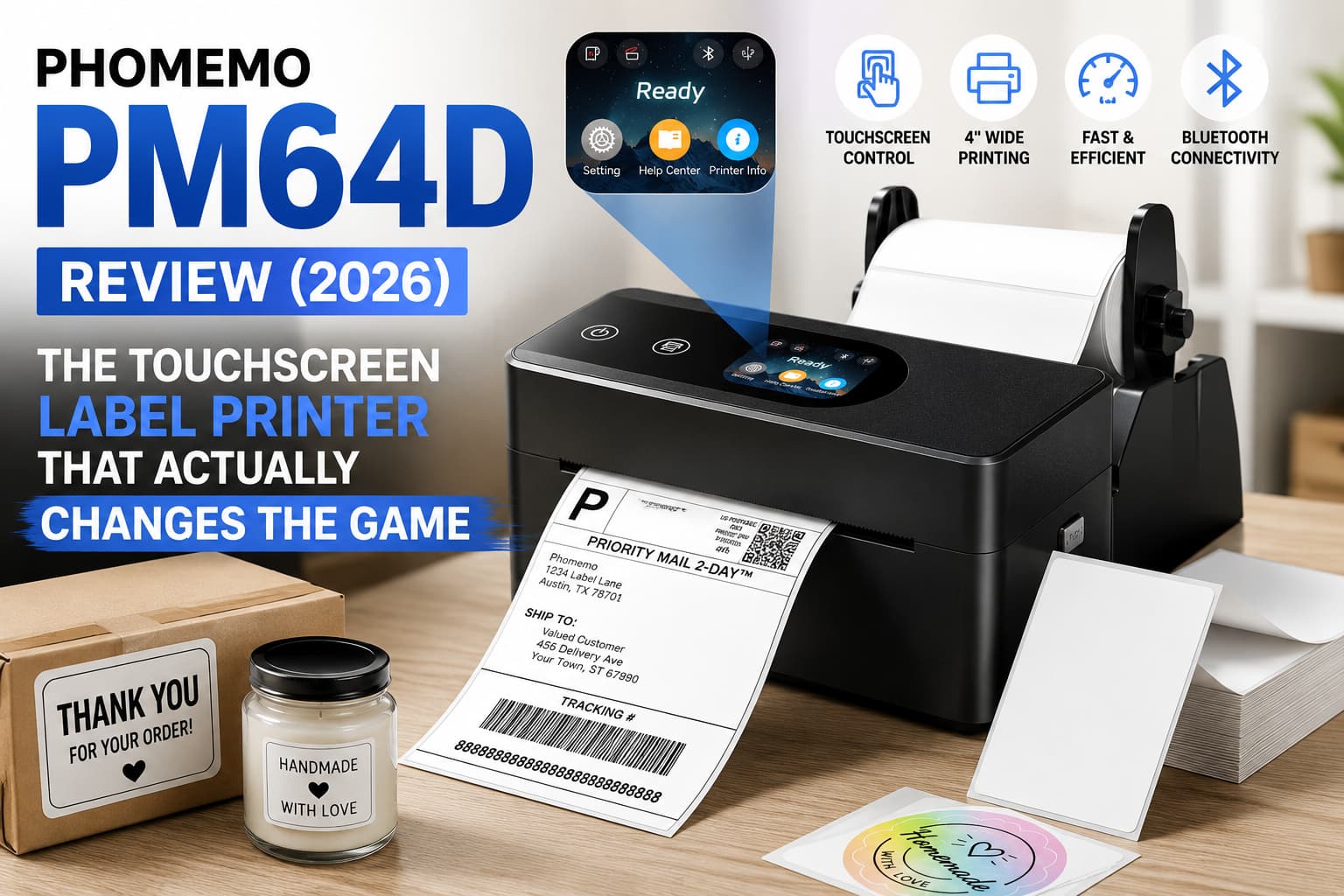
Let’s be honest: when you run a small e-commerce business, your shipping station is the heart of your operation—and usually the most frustrating part. For years, we’ve all settled for budget thermal label printers that rely on cryptic, blinking LED lights to tell us when something is wrong. (Wait, does two red blinks mean paper jam, or is Bluetooth disconnected?)
Enter the Phomemo PM64D, a new-generation Bluetooth shipping label printer that introduces something the budget thermal market desperately needed: a built-in touchscreen.
But is a touchscreen really going to make packing boxes faster, or is it just a shiny gimmick? I swapped out my bulky daily driver for the PM64D for the last four weeks to find out. Spoiler alert: I’m not going back.
Here is everything you need to know.
Say goodbye to cluttered shipping stations. The PM64D measures just 168x83x75mm, making it 20% smaller than standard shipping printers.
⏱ The TL;DR: Executive Summary
If you are an Etsy seller, Shopify merchant, or just someone who hates taping paper labels to cardboard boxes, the Phomemo PM64D is the best value thermal printer of the year. It eliminates the guesswork of paper jams and Bluetooth pairing by putting all the controls on a crisp touchscreen. Simply put, it makes shipping fun again.
- Our Rating: ⭐⭐⭐⭐½ (4.5 / 5 Stars)
- Best For: E-commerce sellers looking for an affordable, mobile-first wireless printing solution.
- Current Price: ~$120.00 – $146.00 (Keep an eye out for flash sales!)
🛡️ Why You Should Trust This Review
I didn’t just print three test pages and call it a day. Over the course of a month, I pushed over 400 labels through this little machine. I printed standard 4×6 USPS shipping labels, 2-inch round “Thank You” stickers, and tiny inventory barcodes. I tested it via USB-C on a MacBook, and via Bluetooth using both iOS and Android to test the Labelife app’s stability during a chaotic morning “return label rush.”
⚖️ The Quick Hit: Pros & Cons
The Good:
- Smart Touchscreen: Literally tells you what’s happening (“Close cover,” “Bluetooth Connected”). No more blinking light Morse code!
- One-Tap Reprint: A total lifesaver. Wrinkled a label? Tap the screen once, and it instantly reprints without needing your phone.
- Snap-On Label Stand: A beautifully designed detachable stand keeps your label rolls organized right behind the printer.
- Blazing Fast: Prints one 4×6 label per second (150mm/s).
The Bad:
- Power Cable Length: The included power cable is slightly short, so you’ll need an outlet relatively close to your packing station.
- Not for Micro-Jewelry Labels: It handles 1.5″ stickers like a champ, but struggles slightly with ultra-tiny, razor-thin jewelry tags.
🔍 Deep Dive: Real-World Performance
1. The “Aha!” Moment: The Touchscreen Advantage
Most budget printers use a single button. With the PM64D, the top-mounted digital display is a game-changer. Not only does it show your connection status and calibration, but it also features a brilliant One-Tap Reprint button. If you are doing a massive batch print and realize your last label printed crooked, you don’t have to go digging through your computer files. Tap the screen, get a fresh label. Magic.
2. Setup & Connectivity (Zero Tears Shed)
Setup took exactly 3 minutes. The printer features dual-mode connectivity:
- Bluetooth via the Labelife App: Unlike clunky older apps, Labelife is incredibly smooth. You can open a PDF directly from your phone and hit print. I experienced zero drop-offs.
- Modern USB-C: A massive, massive upgrade. No dongles required for modern MacBooks—just plug and print.
Caption: The Labelife app connects instantly via Bluetooth, letting you print return labels or customer orders straight from your couch.
3. Print Quality & Speed
The PM64D utilizes an upgraded 15W power system and prints at 203 DPI. What does this mean in plain English? Your barcodes will be incredibly crisp. I took my packages to the local post office, and the self-serve kiosk scanned every single barcode instantly.
It also prints at 150mm/s. You hit “Print” on your phone, and the label shoots out practically before you can put your phone down. It’s so fast, it’s actually satisfying to watch.
Caption: At 203 DPI, text and barcodes are razor-sharp. No more delayed packages due to unreadable, faded ink!
📊 Head-to-Head: Phomemo PM64D vs. The Competition
How does the PM64D stack up against the heavyweights in the thermal printing space?
| Feature | Phomemo PM64D | Munbyn Bluetooth (Standard) | Rollo Wireless |
| Average Price | $120 – $146 | ~$130 – $160 | ~$250 – $280 |
| Display | Full Touchscreen | LED Light only | LED Light only |
| Connectivity | Bluetooth & USB-C | Bluetooth & USB-B | Wi-Fi & USB |
| Print Speed | 150 mm/s | 150 mm/s | 150 mm/s |
| Stand Included? | Yes (Snap-on) | No (Separate purchase) | No |
While the Rollo Wireless remains a premium standard due to its true Wi-Fi capabilities, the Phomemo PM64D offers 90% of the functionality—plus a touchscreen—for half the price.
🎯 The Final Verdict: Should You Buy It?
The Phomemo PM64D feels like a necessary evolution in small business shipping. By adding a touchscreen, an integrated snap-on stand, and modernizing the ports to USB-C, Phomemo has completely removed the friction that usually plagues cheap thermal printers.
It’s fast, reliably inkless, and surprisingly sleek. If you are still taping printed paper to your boxes, or if your current thermal printer gives you a headache every time it loses connection, the PM64D is an immediate, highly recommended upgrade.
Disclaimer: This post contains affiliate links. If you purchase through these links, we may earn a small commission at no extra cost to you. This helps support our testing and review process!
